
Decorate your room with AI, then shop the look
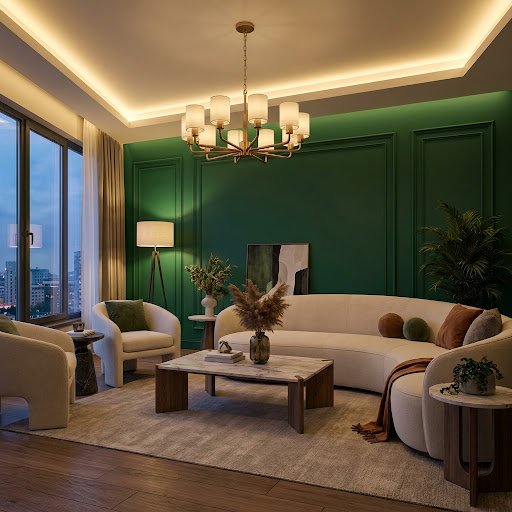
Upload a photo and Dealviora fills your room with furniture, lighting and decor in the style you like. When a design feels right, find pieces that match.
How AI decorating works
The Decorate goal keeps your room as it is and focuses on what goes in it: sofas, beds, rugs, lamps, plants, art and accessories. It is the quickest way to see how a few new pieces could change the feel of a space.
- Choose DecoratePick the Decorate goal on the app’s home screen.
- Add a photoUpload a photo of your bedroom, living room or another space.
- Set your preferencesChoose a style, keep your original paint or try a new colour, and optionally set a budget.
- Shop the lookCompare the result with your original photo and explore furniture and decor that match.
Why decorate with AI
- See furniture in your own room before you buy, not in a showroom
- Find a style you love by trying several on the same photo
- Get product ideas matched to the design you chose
- Keep every design in one place to revisit or share
Decorating ideas to try
Layer your lighting
Combine a ceiling light with floor and table lamps. Warm, low light makes a room feel calm and finished.
Ground the room with a rug
A rug large enough for the front legs of your sofa and chairs pulls a seating area together.
Bring in texture and greenery
Linen, wool, wood and a few plants add warmth, especially in Modern and Minimalist rooms.
Choose one statement piece
A bold sofa, a large artwork or a sculptural light gives the room a focal point.
AI home decor FAQ
What is the difference between Decorate and Redesign?
Decorate adds furniture, lighting and decor to the room you have, keeping its overall character. Redesign gives the whole room a complete makeover with a fresh new look.
Can I buy the furniture shown in the design?
Dealviora suggests furniture and decor that match your design so you can find similar pieces to buy. The generated images are AI concepts, so exact products may differ.
Can I set a budget?
Yes. You can set a budget range or choose a premium style, and add room dimensions so the AI places furniture to scale. These options are part of the premium features.
Explore more ways to transform a room
AI room design
Give the whole room a complete makeover from one photo.
Learn more →Wall paint visualizer
Try new paint colours on your own walls before you buy.
Learn more →Fill empty space
Turn bare corners and walls into styled spaces.
Learn more →Living room design ideas
Layout, colour and lighting ideas for your living room.
Read ideas →Decorate your room before you buy
Available now on Google Play for Android. The iPhone app is coming soon to the App Store.