
Redesign any room with AI, from one photo
Take a photo of your bedroom or living room, choose a style, and Dealviora creates a complete makeover of your own space in moments. No designer, no guesswork.
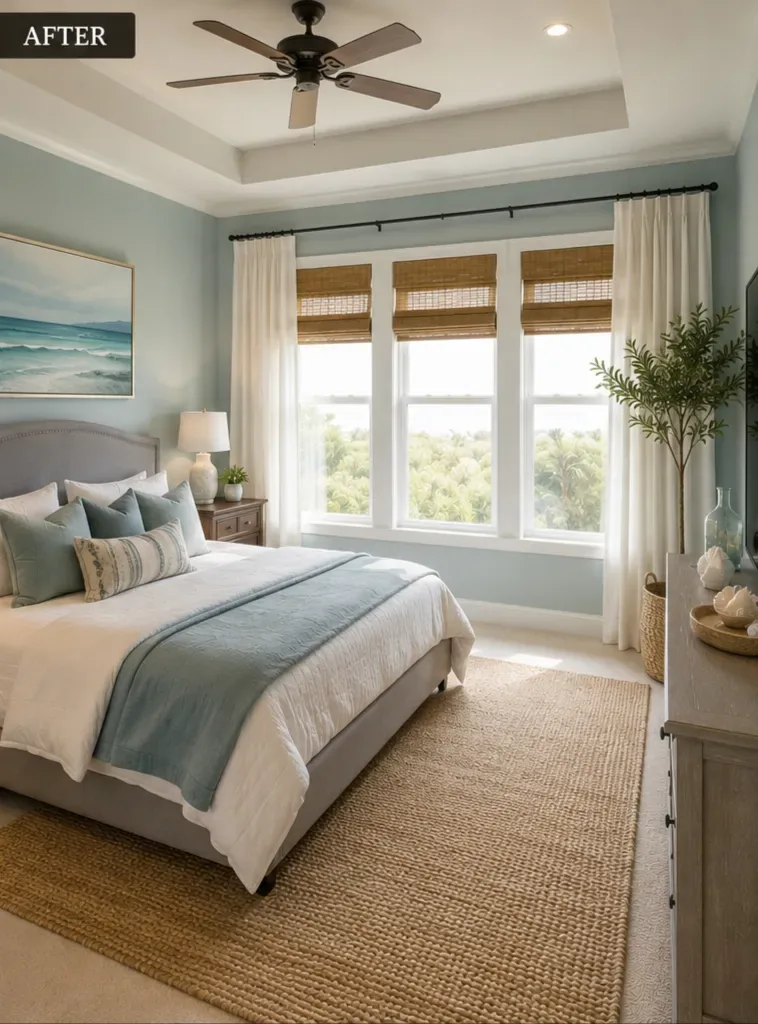
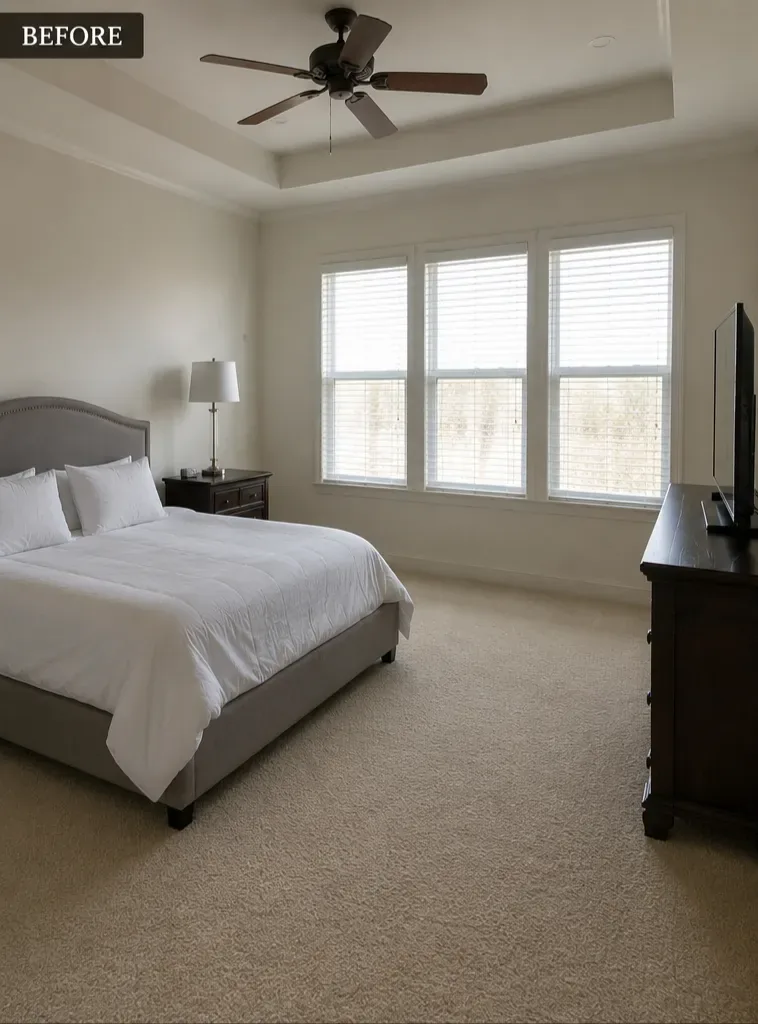
How AI room design works
Dealviora is an AI interior design app that keeps your real room as the starting point. Instead of browsing generic inspiration photos, you see new ideas applied to the walls, windows and layout you already have.
- Choose the Redesign goalOpen the app and pick Redesign for a complete makeover.
- Upload a photo of your roomTake a new photo or choose one from your gallery. A clear, well lit shot from a corner works best.
- Pick a room type and styleSelect bedroom or living room, choose a style such as Modern or Minimalist, and set your paint preference.
- Compare and saveDrag the slider to compare your original room with the AI design, then save the ones you love.
Why redesign with AI before you spend
Furniture, paint and flooring are expensive to get wrong. An AI room planner lets you test a whole new look in minutes, so you only commit once you are sure.
- See a finished room before buying a single piece of furniture
- Try several styles on the same room and compare them side by side
- Share designs with your partner, family or contractor to agree on a direction
- Find furniture and decor that match the design you chose
Styles and rooms you can redesign
Start with the styles that suit most homes, like Modern and Minimalist, or let the AI suggest a style for your space. Bedrooms and living rooms are available to everyone, with more room types such as kitchens and bathrooms offered as premium options. You can also add your room dimensions and a budget so the AI places furniture to scale.
Tips for the best AI redesign results
- Shoot in daylight and turn on the room lights to avoid dark corners.
- Stand in a corner and hold the phone at chest height to capture more of the room.
- Clear clutter from the floor so the AI can read the layout clearly.
- Try two or three styles. The best idea is often one you would not have picked first.
AI room design FAQ
Can AI redesign my room from a photo?
Yes. With Dealviora you upload a photo of your room, choose the Redesign goal and a style, and the AI creates a new version of the same room with updated furniture, colours, lighting and decor.
Is the AI room design app free?
You can start for free with a few design credits and earn more by watching short ads. Optional paid plans offer more credits, premium options and higher quality designs without a watermark.
Which rooms can I redesign?
Dealviora supports bedrooms and living rooms, with more room types such as kitchens and bathrooms available as premium options.
Will the redesign keep the shape of my room?
Yes. The AI works from your own photo, so the walls, windows and overall layout of your room stay recognisable while the furniture, colours and styling change.
Explore more ways to transform a room
Wall paint visualizer
Try new paint colours on your own walls before you buy.
Learn more →AI home decor
Add furniture, lighting and decor in the style you like.
Learn more →Fill empty space
Turn bare corners and walls into styled spaces.
Learn more →Bedroom design ideas
Practical ideas for a calmer, more beautiful bedroom.
Read ideas →Redesign your room with AI today
Available now on Google Play for Android. The iPhone app is coming soon to the App Store.