
Try new paint colours on your own walls
Not sure about sage green or warm white? Take a photo of your room and Dealviora shows the colour on your real walls, with lighting and finishes to match, before you pick up a brush.
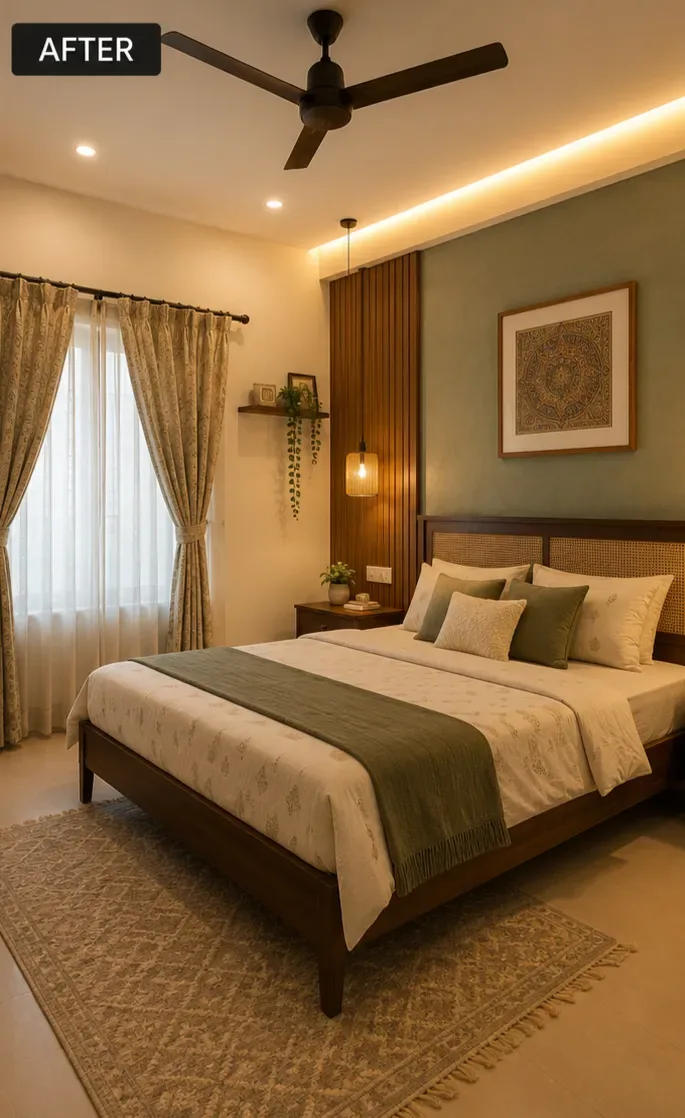
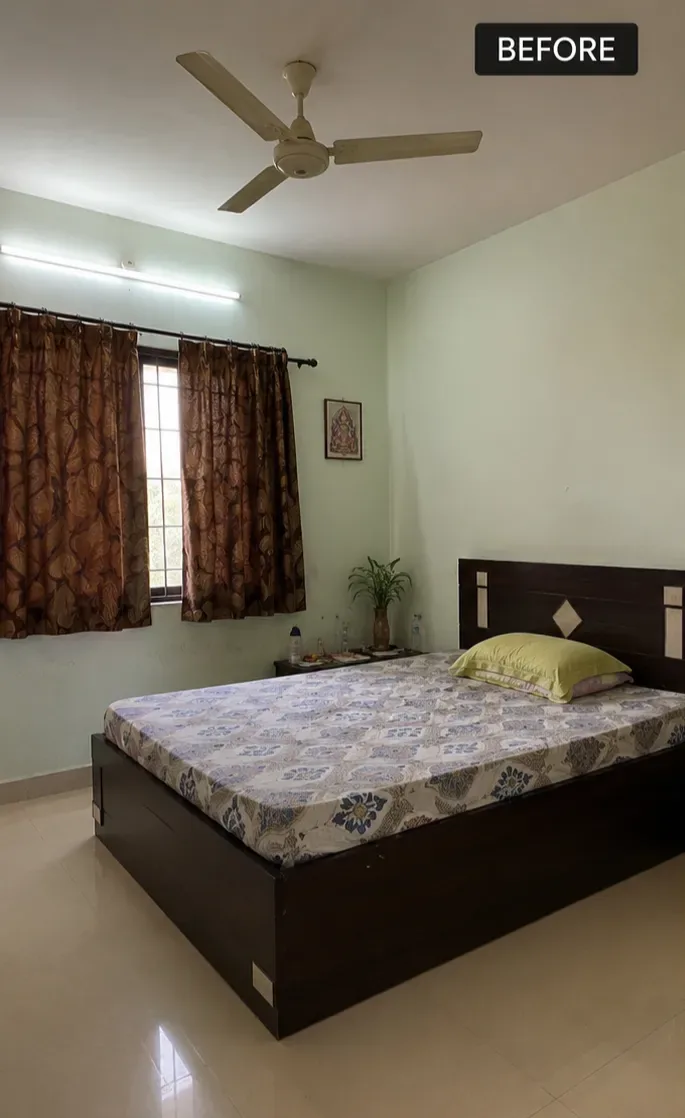
How the wall paint visualizer works
Paint chips are tiny and showroom lighting is nothing like your home. Dealviora applies colour to a photo of your own room, so you can judge it against your floor, furniture and natural light.
- Choose the Paint goalOpen the app and select Paint to focus on wall colour.
- Upload a photo of your roomCapture the walls you want to change in good, even light.
- Pick a colour or ask the AIChoose your own paint colour, or select AI Suggest for a palette that suits the room.
- Compare before and afterDrag the slider to see the original and the new colour side by side, then save your favourites.
Why visualise paint before you buy
- Avoid repainting a room because a colour looked different on the wall
- Test bold colours like deep green or terracotta without the risk
- See how a colour works with your existing furniture and flooring
- Narrow a dozen sample pots down to one or two
Three paint preferences to choose from
Pick Paint
Already have a colour in mind? Choose it and see it on your walls straight away.
AI Suggest
Let the AI propose a colour scheme that complements the room, its furniture and its light.
Original Paint
Happy with your walls? Keep the current colour and change only the furniture and decor.
Tips for choosing a wall colour
- North facing rooms get cooler light, so warmer whites and earthy tones feel more inviting.
- South facing rooms are bright and warm, and handle cooler blues and greens well.
- Use a darker shade on one feature wall to add depth without closing the room in.
- Always test a physical sample on the wall before you buy. Screens and light vary.
Paint visualizer FAQ
How can I see what paint colour looks like on my wall?
Take a photo of your room in Dealviora, choose the Paint goal and either pick a colour or let the AI suggest a palette. The app shows the new colour on your own walls so you can compare it with the original.
Can AI suggest a paint colour for my room?
Yes. Choose AI Suggest as your paint preference and Dealviora proposes a colour scheme that suits the room, its furniture and its light.
Can I keep my current wall colour?
Yes. When you redesign or decorate a room you can choose Original Paint to keep your existing wall colour and change only the furniture and decor.
Will the colour on screen match the real paint exactly?
The visualizer is a guide to how a colour changes the feel of a room. Screens and lighting vary, so always test a physical sample on your wall before buying paint.
Explore more ways to transform a room
AI room design
Give the whole room a complete makeover from one photo.
Learn more →AI home decor
Add furniture, lighting and decor in the style you like.
Learn more →Fill empty space
Turn bare corners and walls into styled spaces.
Learn more →Living room design ideas
Layout, colour and lighting ideas for your living room.
Read ideas →See your next wall colour first
Available now on Google Play for Android. The iPhone app is coming soon to the App Store.